See who owes you
Sold on credit? Bizic keeps each customer's balance, so you always know who owes what, and every payment they make is written down.
On this page
See the total
Open More and tap Customers. The strip at the top shows Owed to you: what all your customers owe together. Credit held is money customers left with you, like deposits.
Opening Customers 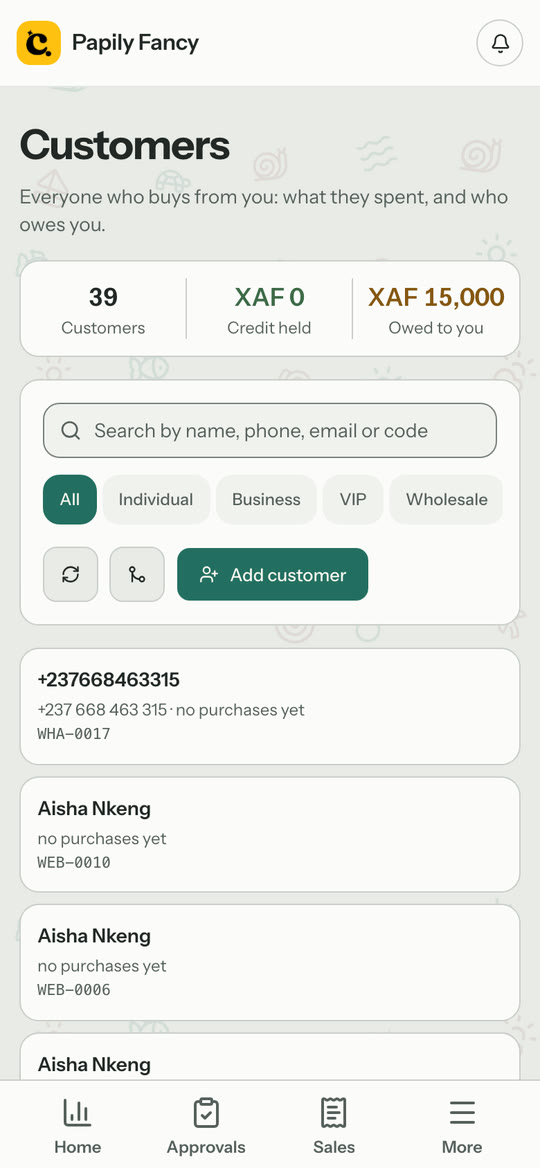
Owed to you, at the top of Customers In the list, anyone who owes you says owes and the amount, in orange. Search by name or phone to find one.
A sale at the till they pay later
When a customer pays part at the till and the rest later, Bizic adds what they owe for you, linked to the sale. See Let a customer pay the rest later. Their page in Customers lists the sale under Purchases with Owes and the amount. When they pay, take it from the sale's receipt in Sales, so the money goes in the drawer and the sale is marked paid.
Someone takes something on credit (outside the till)
Open the customer and tap the Money owed tab. Tap Record a payment or credit.
Under What happened, choose They took something on credit. Type the amount, and a note if it helps you remember ("Boubou, pays at month end"). Tap Save.
Recording a purchase on credit
They pay you back
Open the customer again and tap Record a payment or credit. When they owe you, Bizic already picks They paid what they owe and shows how much they owe. Type what they paid now (it can be part) and tap Save.
Recording a payment 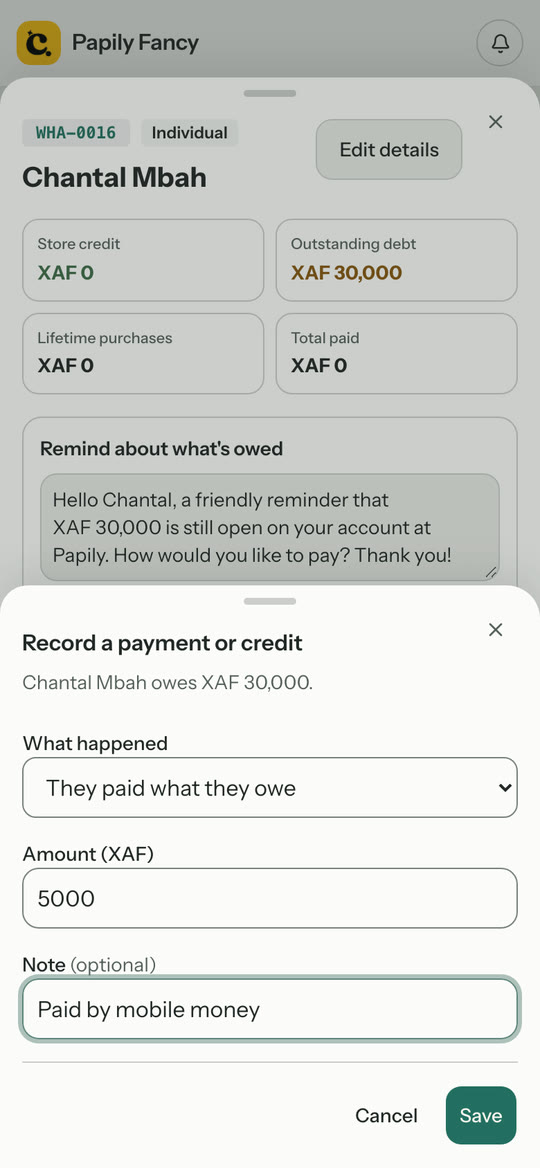
The payment, ready to save
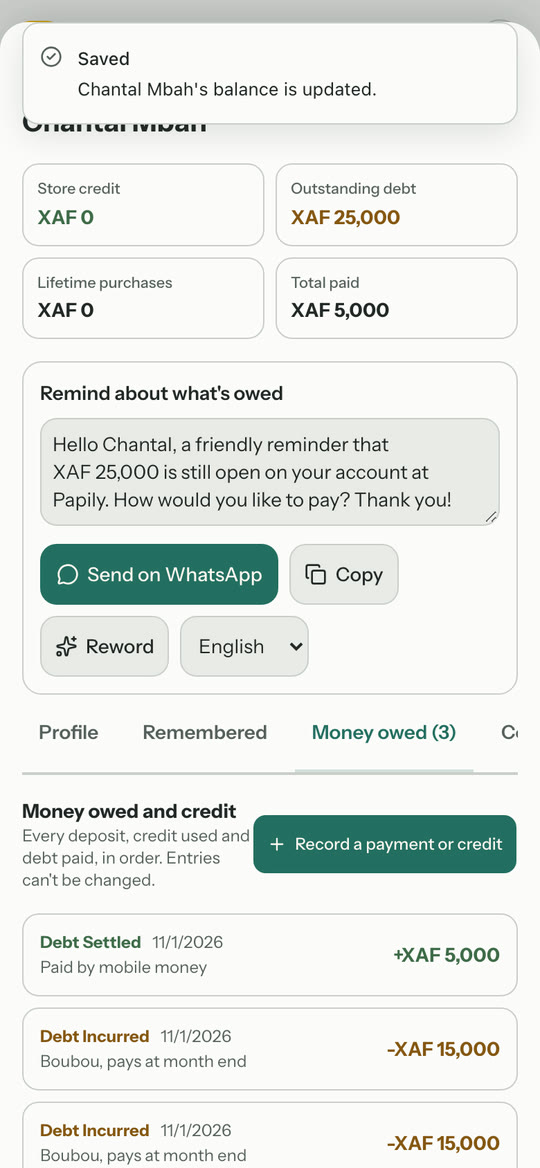
The balance updates, and each entry is listed with the date and who recorded it.
The other choices
They left money with you (a deposit): money paid before you deliver. It shows as Credit held.
They used money they left with you: the deposit goes towards a sale.
Correct the balance: fix a wrong balance, with a note saying why.
Last change, 25 November 2026: Debts from the till show on their own, with the sale, and each customer has a Purchases tab.
Still stuck?
Tell us what you were trying to do. A real person reads every message.