Let a customer pay the rest later
The customer pays part now and takes the goods. Bizic puts the rest on their account, links it to the sale, and you take the rest at the till when they come back.
On this page
Before you start
You need the till open for today. New to the till? Make your first sale first.
Pay part now
Ring up the sale as usual and tap Continue to payment.
Turn on Pay the rest later. Two boxes open: type the customer's Name and Phone number. Bizic needs both, because they'll owe you the rest.
Bizic checks the number while you type. Known customer means it's someone already in Customers, and it shows what they already owe. New customer means they're added to Customers with this sale.
Choose how they're paying now (Cash or Mobile money) and type what they give you in Paid now. On their account shows what's left for later.
Turning on Pay the rest later, typing the name, number and what's paid now 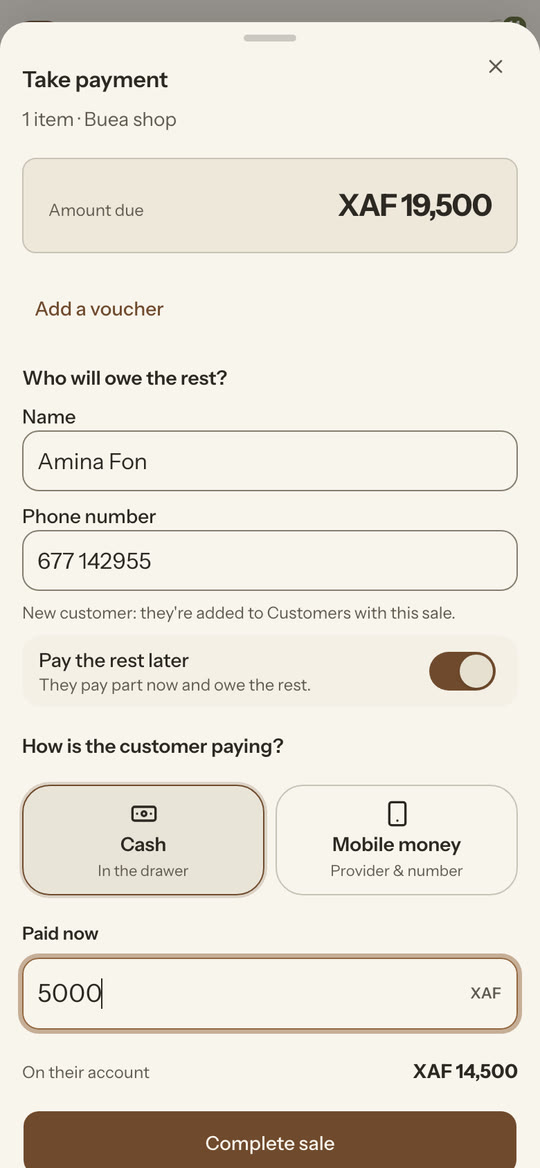
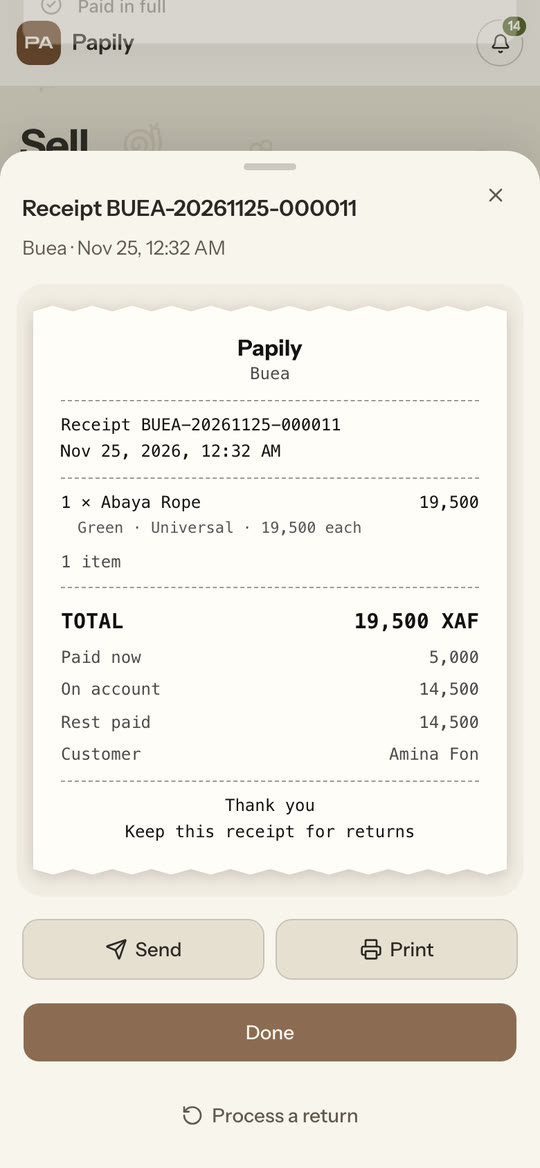
Ready to complete: 5,000 now, 14,500 on their account Tap Complete sale. The receipt shows Paid now, On account and the customer's name. The drawer only expects what they paid now.
The receipt, with what's still owed under it
Take the rest later
When they come back, open Sales, find the sale and open its receipt. Under the receipt, Still owed says how much is left.
Tap Take payment, check the amount (it can be part of what's left), choose Cash or Mobile money, and tap Take payment.
Taking what's still owed When it's all paid, the receipt says Rest paid, and the customer owes nothing for that sale.
Paid in full
Last change, 25 November 2026: First version: pay part now, the rest on the customer's account, and take the rest later from the receipt.
Still stuck?
Tell us what you were trying to do. A real person reads every message.