
Set up your rooms, prices and booking page
Add each kind of room with its price, give weekends or busy seasons their own price, and choose how guests can book and pay. Your booking page and the Front desk use it straight away.
Your rooms and their price
Open Front desk and tap Set up.
Opening Set up from the Front desk Under Rooms and prices, tap Add a kind of room, or tap one you have to change it. A kind of room is what guests choose, like "Family suite". Give it a Name, its Price a night and how many Guests, at most it takes, then tap Save.
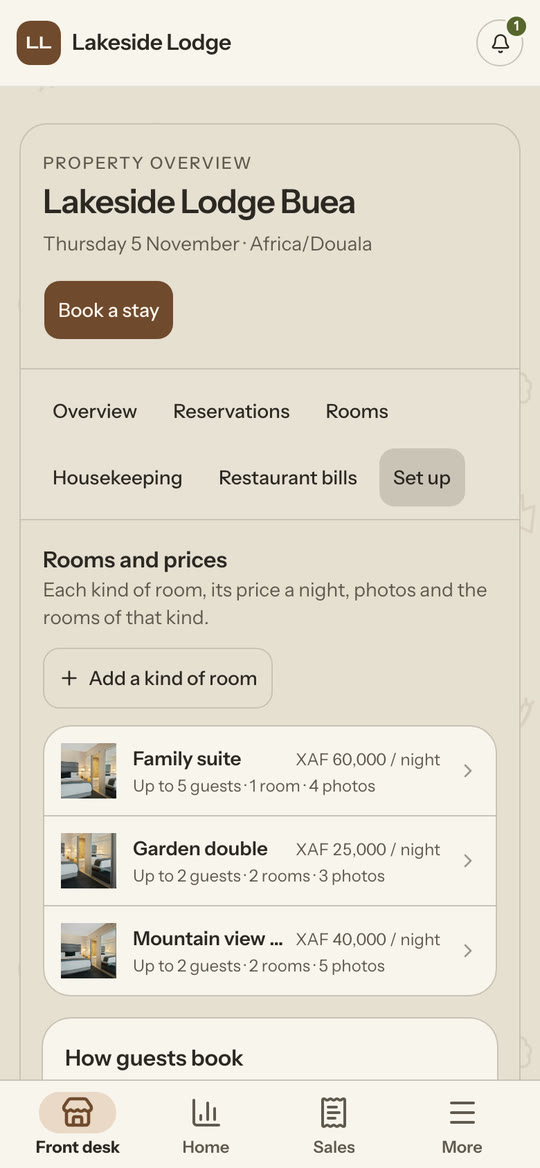
Your kinds of room with their price a night Open the kind of room again to add its Photos and the rooms of that kind (Room 101, Room 102). Guests are given one of these rooms when they book.
Weekends and busy seasons
Open a kind of room and scroll to Prices on some nights. Every other night costs the price you set in step 2.
The room's prices on some nights Tap Nights of the week for a weekend price. Pick the nights (Friday night is the stay from Friday to Saturday), enter the Price a night and tap Save price.
Tap A season for dates such as Christmas or a festival. Pick the First night and Last night, the Price a night, and tap Save price.
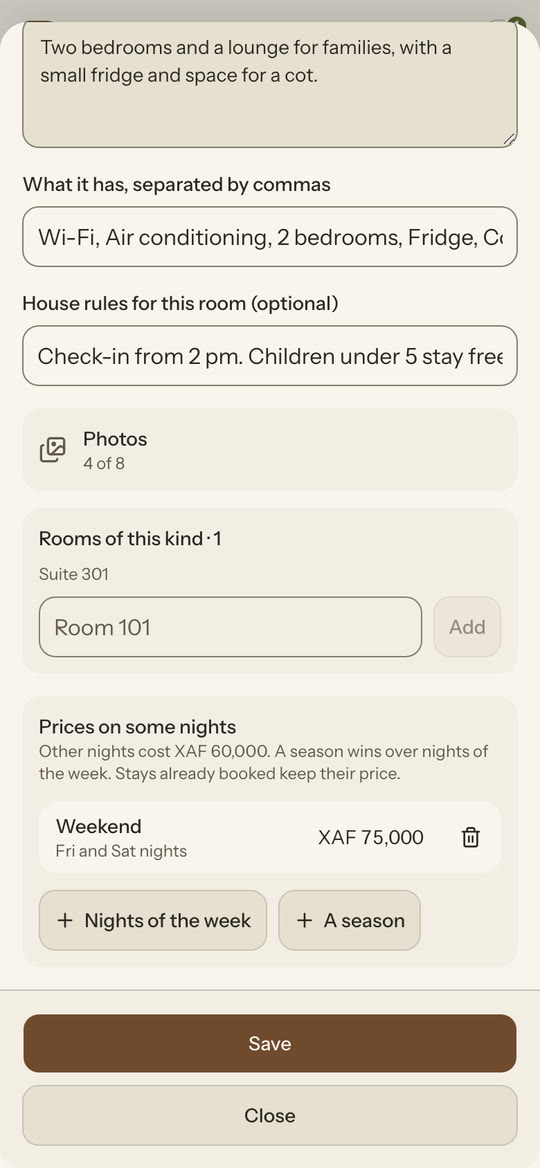
A weekend price for Friday and Saturday nights
Bizic prices every stay night by night. A guest staying Thursday to Sunday pays the normal price for Thursday and your weekend price for Friday and Saturday.
How guests book and pay
Back on Set up, under How guests book, switch on the choices you offer: Pay now, no refund, Pay now, free cancellation and Pay at the property. Each pay-now choice can have a discount. Breakfast adds a price for each guest, each night.
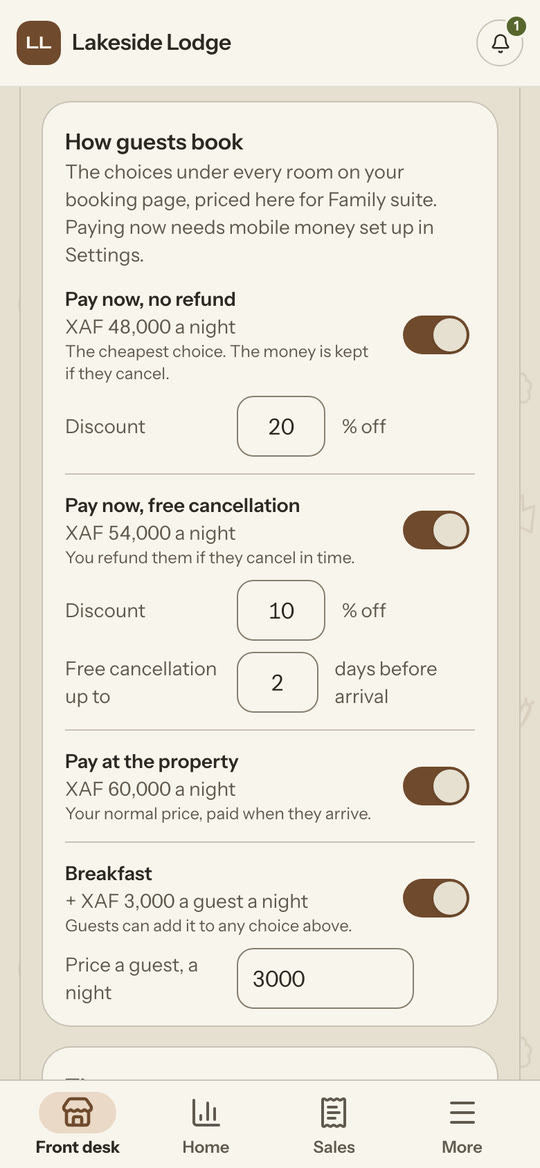
The choices guests see under every room Tap Save. Your booking page shows these choices under every room, with the stay's total worked out for the dates the guest picked.
Last change, 5 November 2026: First version, with prices for weekends and seasons.
Still stuck?
Tell us what you were trying to do. A real person reads every message.