
Seat guests at a table and take their orders
See which tables are free, seat the party you were expecting in one tap, and let guests order from their phone. Everything they order goes on one bill for the table.
Before you start
Your tables are added once, by a manager: open Menu, tap Restaurant settings, then Tables & QR codes. Each table gets a code to print and put on the table.
Seat your guests
Open Tables. Each table shows whether it is free, Seated (with what the guests owe), or Reserved with the time a booked party is due.
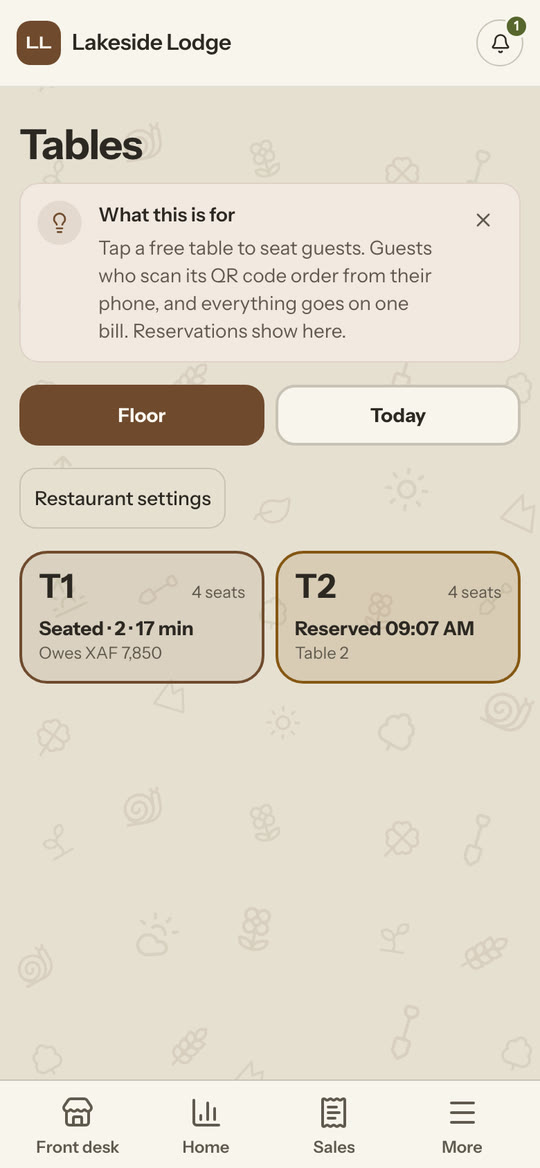
The floor: a seated table and a reserved one Tap the table. If a party booked it, Bizic shows Reserved at the time for their name.
Set How many guests and tap Seat with their name. Their booking is marked as arrived, and the table's bill opens.
Seating the party that booked Table 2 Different people at a reserved table? Tap These are other guests first, then Seat them as usual. The booking stays waiting.
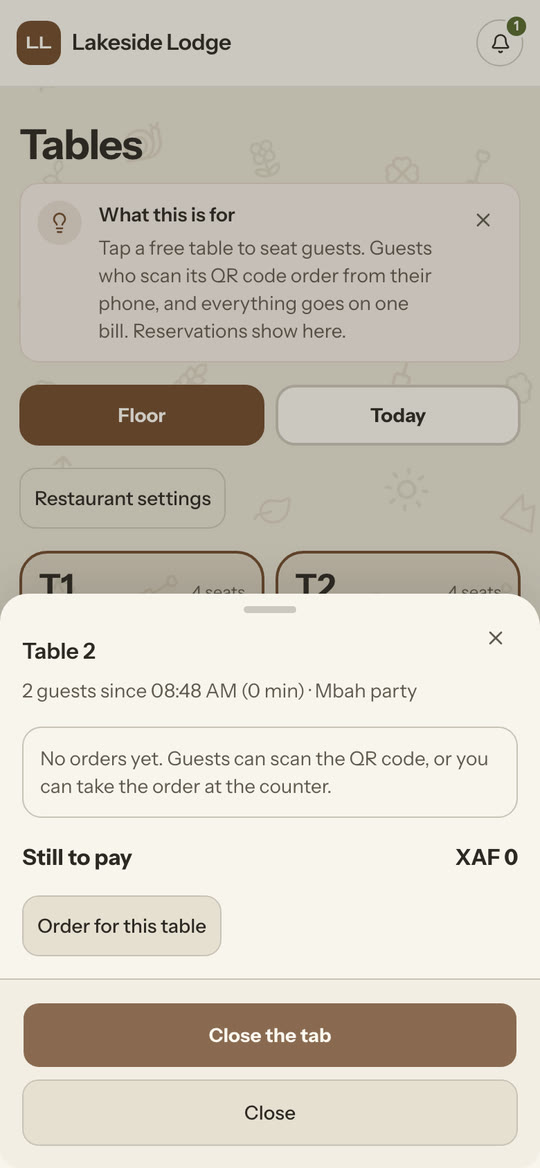
The table's bill, open and ready for orders
Orders and paying
Guests scan the code on their table, pick their dishes and tap Send to the kitchen. The order goes straight to the kitchen with its number and onto the table's bill. They pay at the end, with you.
To order for them, tap the table and then Order for this table.
When they're ready to pay, tap the table and Take payment for an order, or Pay the whole tab when there are several. Then tap Close the tab. A table that was booked is then free for the next guests.
Last change, 5 November 2026: First version. Seat a table booking in one tap; orders from the table's code go straight to the kitchen.
Still stuck?
Tell us what you were trying to do. A real person reads every message.